Every government vehicle, accounted for.
One system for the General Services Office motorpool: repairs, spare parts, preventive maintenance, fuel, dispatch and procurement, each step approved and on record.
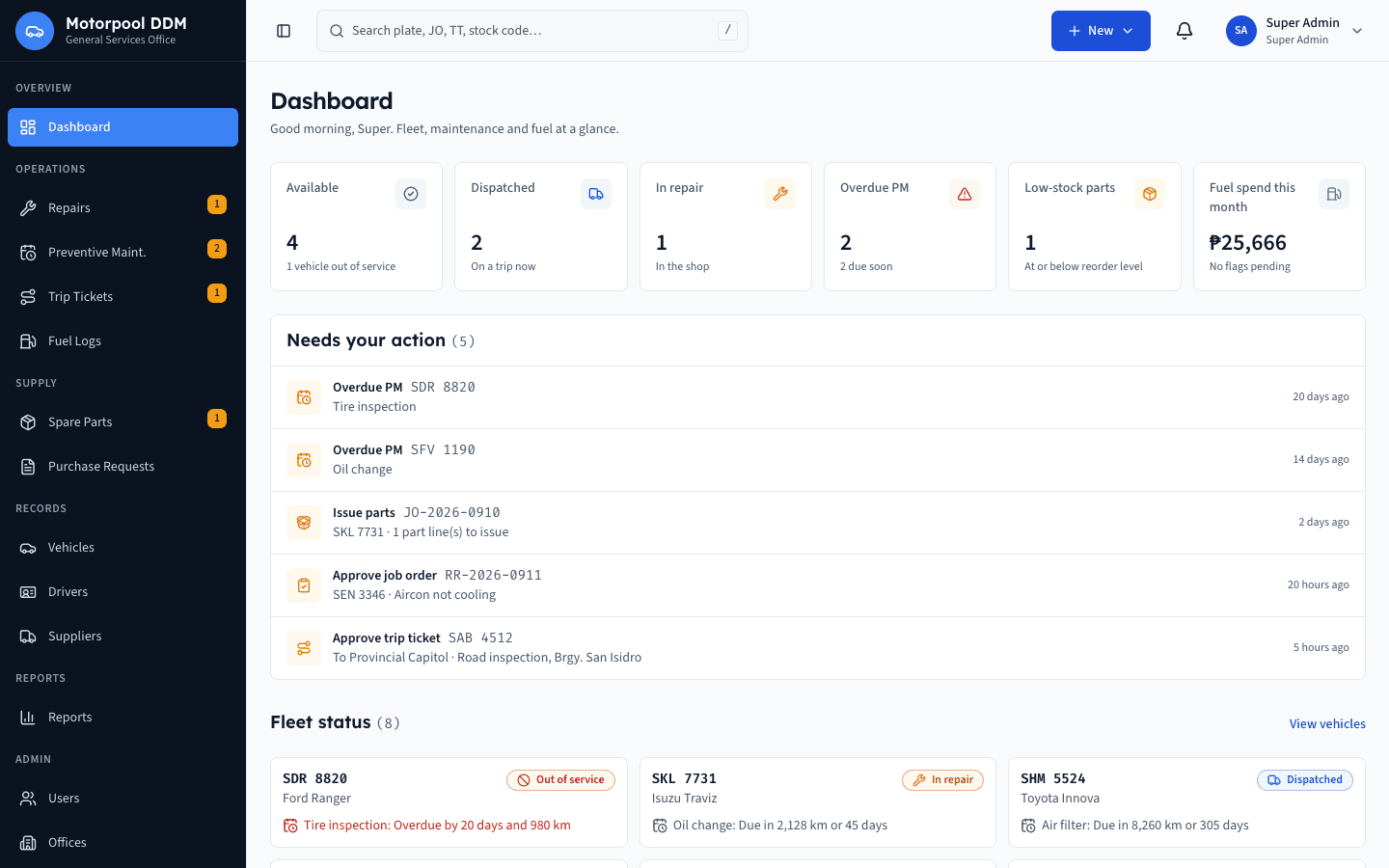
Eight modules, one record
Each module reads from the same fleet record, so nothing is typed twice.
- A
Repair & maintenance
Job orders from request to release, with inspection, labor and parts on one record.
- B
Spare parts inventory
Stock on hand, receipts, issues against approved job orders, and adjustments.
- C
Preventive maintenance
Service schedules by distance or date, flagged before they become overdue.
- D
Fuel consumption
Fill-ups per vehicle with efficiency checks that flag unusual consumption.
- E
Vehicle dispatch & trip tickets
Trip requests, approval, driver assignment, and odometer on return.
- F
Purchase requests & procurement records
Purchase requests tracked from approval through delivery of items.
- G
Reports & printing
Printable government forms and Excel-ready reports for audit and planning.
- H
User accounts & approval workflow
Registered Google accounts, role-based access, and a logged approval trail.
How a repair flows
Six steps, each owned by one role.
- 1
Request
Any staff member files the repair request
- 2
Inspect
Mechanic inspects and lists parts and labor
- 3
Approve
Approving officer signs off the job order
- 4
Repair
Mechanic works; storekeeper issues parts
- 5
Complete
Mechanic records work done and final odometer
- 6
Release
Approver releases the vehicle to the office
Built for accountability
No part issued without an approved job order
Stock only moves against a job order that an approving officer has signed off.
No release without approval
A repaired vehicle returns to service only after the approver releases it.
Every change is logged
Who did what and when is kept on every record, and cannot be edited away.